Best of · Code · updated 2026-11-25
In short: Buildin.AI, TestDriver and DevITJobs lead the Code Assistant AI tools listed on EveryAI, ranked by how fully each listing documents what it does. Compare them below, then try two or three on the same real task.
Code Assistant tools at a glance
| Tool | Best for | Category | Listing |
|---|---|---|---|
| Code Assistant | Code | Standard | |
| Code Assistant | Code | Standard | |
| Code Assistant | Code | Standard | |
| Code Assistant | Code | Standard | |
 orc | Code Assistant | Code | Standard |
| Code Assistant | Code | Featured | |
 bf16.ai | Code Assistant | Code | Standard |
| code-assistant | Code | Standard | |
| Code Assistant | Code | Featured | |
 Super Agent | Code Assistant | Code | Standard |
The 10 picks
1 Buildin.AI Standard
Buildin.AI is a real-time collaboration space where you can write, plan, read, and organize information in one place. Now available for free for personal use or to experience for free with your team. Supports web, mobile, Mac & Windows.
- Buildin.AI empowers teams and individuals to automate their workflows using AI. With an intuitive, no-code platform, you can save time, improve productivity, and simplify your daily tasks.
- Key Features:
- - AI Writing Assistant: Generate high-quality written content quickly with Buildin.AI’s intelligent writing assistant. From emails to articles, it helps you write with ease and precision.
- - No Code, Easy Setup: Design powerful workflows without coding, using an intuitive drag-and-drop interface.
Visit buildin.ai ↗ Buildin.AI details → Buildin.AI alternatives →
2 TestDriver Standard
Next generation autonomous AI agent for end-to-end testing of web & desktop
- Instantly increase UI test coverage with exploratory test generation
- • Understands UI elements in context
- • Generates tests for each element
- • Opens each test as a new PR
Visit testdriver.ai ↗ TestDriver details → TestDriver alternatives →
3 DevITJobs Standard
DevITjobs: A Job Board Built for Software Engineers Our Mission: To bring transparency, openness, and diversity to the US IT job market. We aim to make job searching more enjoyable for Software Engineers by gathering all job postings in the United States and presenting them in a clear, informative way. DevITjobs is for everyone in the IT industry—Developers, Engineers, SAP and System Admins, Product Managers, QAs,…
- Transparency and Diversity: Committed to bringing more openness and inclusivity to the US IT job market.
- Pay Range for Every Job: Every job posting includes a pay range, helping candidates make informed decisions.
- Comprehensive Listings: All IT-related roles in one place, including Developers, Engineers, SAP and System Admins, Product Managers, QAs, and UX/UI Designers.
- User-Friendly Experience: Simplified and informative job search tailored to the needs of Software Engineers.
4 Komos AI Standard
Komos turns screen recordings and narrated demos into self-healing browser workflows. No code, no brittle selectors. Just AI that learns naturally, adapts to change, and executes tasks predictably across your business systems.
- Komos transforms the way businesses automate browser and document tasks.
- Traditional automation breaks with even minor interface changes and demands technical setup.
- Komos solves this by teaching AI to learn the natural way, by watching and listening to human demonstrations.
- Teams can record a simple 5-minute walkthrough or reuse existing training materials, and Komos converts them into repeatable, deterministic workflows.
5 orc Standard
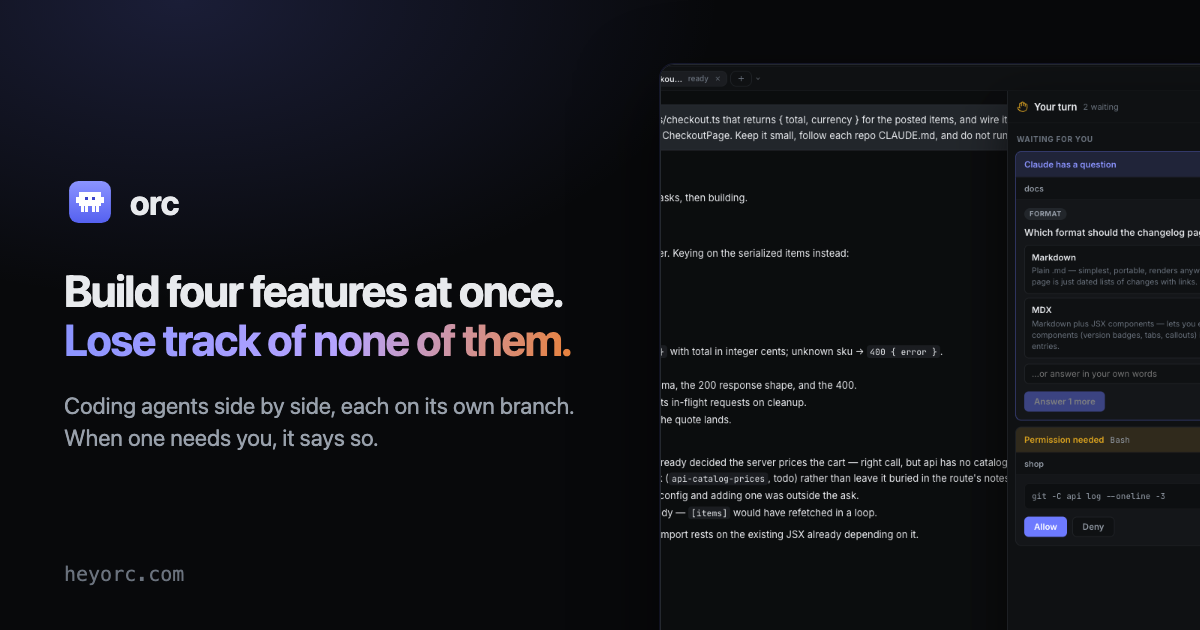
Agents build and test features in parallel. You review and ship.
- Run several Claude Code and Codex agents at once, each on its own branch
- One queue for every agent waiting on you, longest-stuck first
- Agents test in a real browser and return a checklist, recording and screenshots
- Browser tests use up to 25x fewer tokens than Playwright MCP
6 Ues.io Featured
Build applications fast, with or without code
- Hybrid Development: Combines no-code simplicity with pro-code extensibility.
- Visual & Intuitive Design: Build applications using drag-and-drop tools with the option to add custom code.
- Deployment Options: Fully flexible deployment with on-premises, cloud, or hybrid configurations.
- Integration-Friendly: Built-in connectors and support for APIs, Git, and custom integrations.
7 bf16.ai Standard
Uncensored LLM API gateway for coding and personal AI agents with 1M context, zero prompt retention, native OpenAI & Anthropic endpoints, and $0.20 free signup credit.
- Native OpenAI Chat (/v1/chat/completions), Responses (/v1/responses), and Anthropic Messages (/v1/messages) endpoints
- 1M token context window on uncensored frontier models (Kimi K3.1 Pro, GLM-5.3, DeepSeek V4.1 Flash)
- Zero prompt logging or training retention
- Drop-in setup for Claude Code, Codex CLI, OpenCode, Cursor, Cline, Roo Code, OpenClaw, and 24+ developer clients
8 Gs Copilot Standard
Google Apps Script Copilot is an AI Chrome extension that writes, debugs, and reviews Apps Script code directly inside the script.google.com IDE.
- Google Apps Script Copilot lives inside the Apps Script IDE and reads your project to write functions, explain errors, and fix bugs without copy-pasting into a separate chatbot.
- It includes AI chat, an autonomous agent mode, inline code completions, and one-click quick edits — all reviewed as diffs before anything is applied.
- Free to start, with a one-time Lifetime + BYOK option for unlimited use with your own API key.
Visit home.gscopilot.com ↗ Gs Copilot details → Gs Copilot alternatives →
9 MermaidViewer Featured
MermaidViewer is an online tool to create, edit, and share Mermaid diagrams with live previews, AI-assisted code, and seamless export options.
- - Instant Live Preview – Watch your diagrams come to life as you type, no waiting, no hassle.
- - Smart AI Assistance – Turn simple text into fully functional Mermaid diagrams with GPT-4 magic.
- - Flexible Exports – Save your work in SVG, PNG, PDF, or Markdown, with themes and DPI customization.
- - Seamless Team Collaboration – Share and co-edit diagrams in real-time, boosting productivity.
Visit mermaidviewer.com ↗ MermaidViewer details → MermaidViewer alternatives →
10 Super Agent Standard
Super Agent works 24/7: it takes your requests, hands them to Claude Code, Codex or Grok on your own computers, and reports back when the work is done.
- One always-on agent for all your computers
- Hand off work from any browser and keep talking while it works
- Only step in when a decision needs you
- Your code never leaves your machines
Visit super-agent.team ↗ Super Agent details → Super Agent alternatives →
Questions, answered from the index
What are the best Code Assistant AI tools?
By how fully their listings document what they do, the top Code Assistant tools in the EveryAI index right now are Buildin.AI, TestDriver and DevITJobs. The full list of 10 is on this page.
How is this list ranked?
By the listing's own copy: how completely its description and features explain what the tool does. EveryAI did not test each tool, and paid placement does not move a tool up; sponsored tools appear only in the labelled Sponsored box.
How many Code Assistant tools does EveryAI list?
32 with a full description as of 2026-11-25, out of the whole Code Assistant use case. The index updates as new listings pass review.
How do I choose a Code Assistant tool?
Start from the job you need done, try two or three tools on the same real task, and compare output quality, privacy terms and pricing on each tool's own site.